
Dedicated Slack channel
Direct access to our team, anytime.
Product / Integration
Intuitive SDKs for iOS, Android/Kotlin and Flutter. With technical documentation, enriched sample app and direct team support.
Fast integration for technical teams. No building logic from scratch.
Product implementation
A complete adtech stack designed specifically for the mobility ecosystem.
Step 01
Drop-in on iOS, Android or Flutter. One line to start, two to serve a slot.
Step 02
Define slots, formats and frequency rules from the dashboard. No redeploy.
Step 03
Global programmatic demand connects automatically. You're paid in 30 days.
Step 01
Drop-in on iOS, Android or Flutter. One line to start, two to serve a slot.
Step 02
Define slots, formats and frequency rules from the dashboard. No redeploy.
Step 03
Global programmatic demand connects automatically. You're paid in 30 days.
Time to integrate · current publisher benchmark
14 days average · first revenue line
See the full flowTime to integrate · current publisher benchmark
14 days average · first revenue line
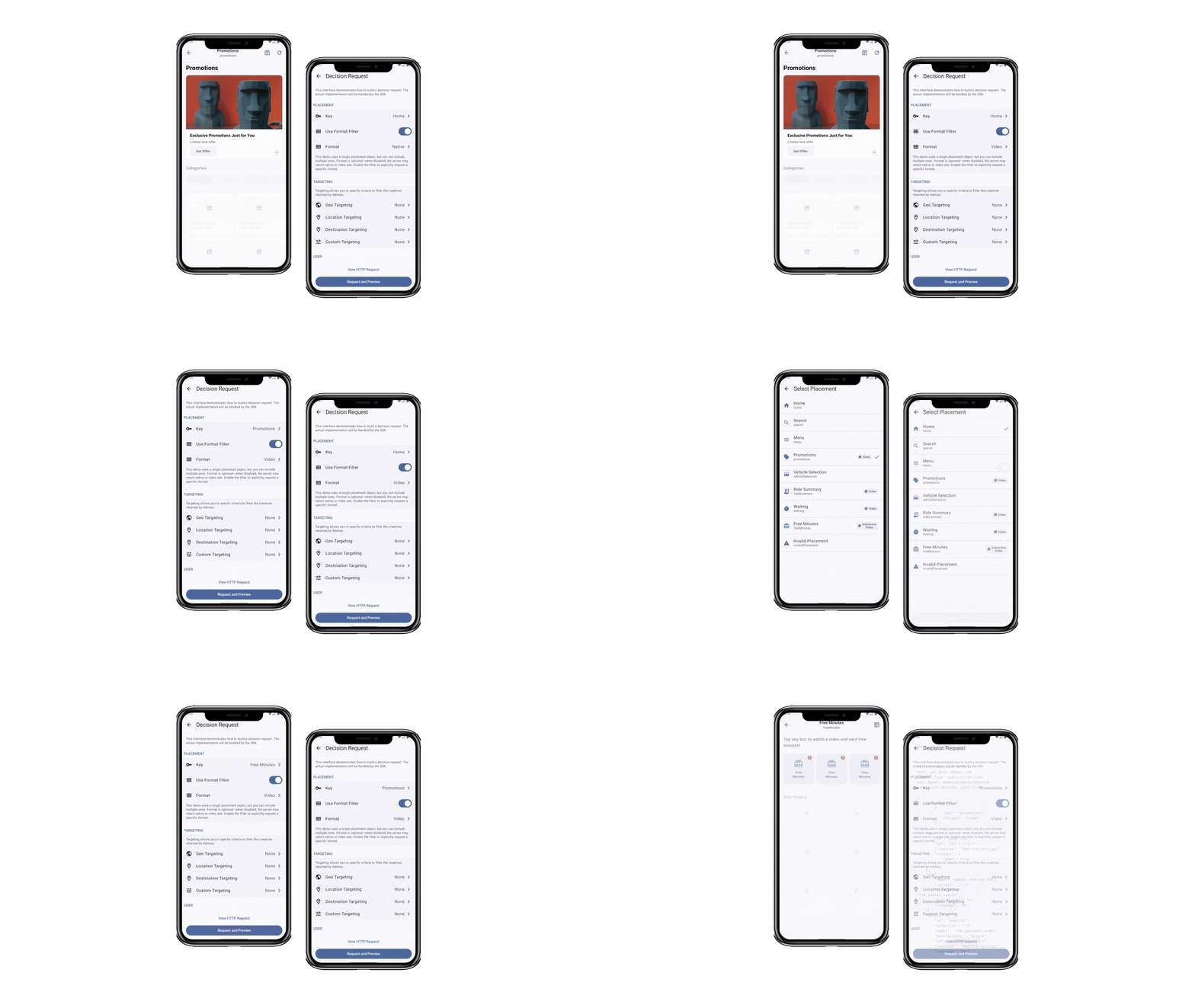
See what Admoai formats look like rendered natively in a real mobility app —without breaking the flow or the user experience.
The complete path from the first line of code to the first campaign monetizing.
Request logic, targeting context, creative rendering, event tracking, error handling and retry. Your team builds none of this.
Decision Engine, targeting logic, creative rotation, frequency capping, reporting pipeline. All included.
Staging to test without affecting production. Your team can integrate and validate before go-live with full confidence.
The Admoai team accompanies the integration. Technical FAQs, documented sample apps and a direct channel for questions.
For most publishers, the SDK integration takes 3–5 engineering days. The remaining time is configuring placements, testing campaigns, and validating reporting. We provide a detailed 14-day timeline at kickoff.
You get a fully isolated staging environment with a separate API key. No production data, no revenue impact. You can run as many test requests as needed before going live.
Currently we support iOS (Swift), Android (Kotlin) and Flutter. React Native is on our roadmap. In the meantime, you can use our REST API directly.
Our Decision Engine returns a deterministic fallback — no blank screens, no errors. You can configure house ads or a custom fallback creative per placement.